
How To Sync Etsy Listings With Instagram Shopping Using Data Feeds
If you sell on Etsy and want to tag products directly in Instagram posts and stories, the smartest way to keep everything in sync is to use a data feed. A data feed keeps your catalog up to date automatically, so new listings, price changes, and inventory updates flow into your Instagram Shop without manual uploads.
In this guide, you will learn step by step how to sync Etsy listings with Instagram Shopping using a reliable data feed, powered by the Catalog Generator app for Etsy. This method also connects your Etsy store to Facebook Shop and can extend to Google Shopping.
Strong recommendation for busy sellers: use Catalog Generator for Etsy. It automatically builds a feed URL that Meta and Google can read, keeps your listings synced on a schedule, and takes the manual work off your plate. Start your 7 day free trial at just 5 USD per month: https://catalog-generator.webyze.com/
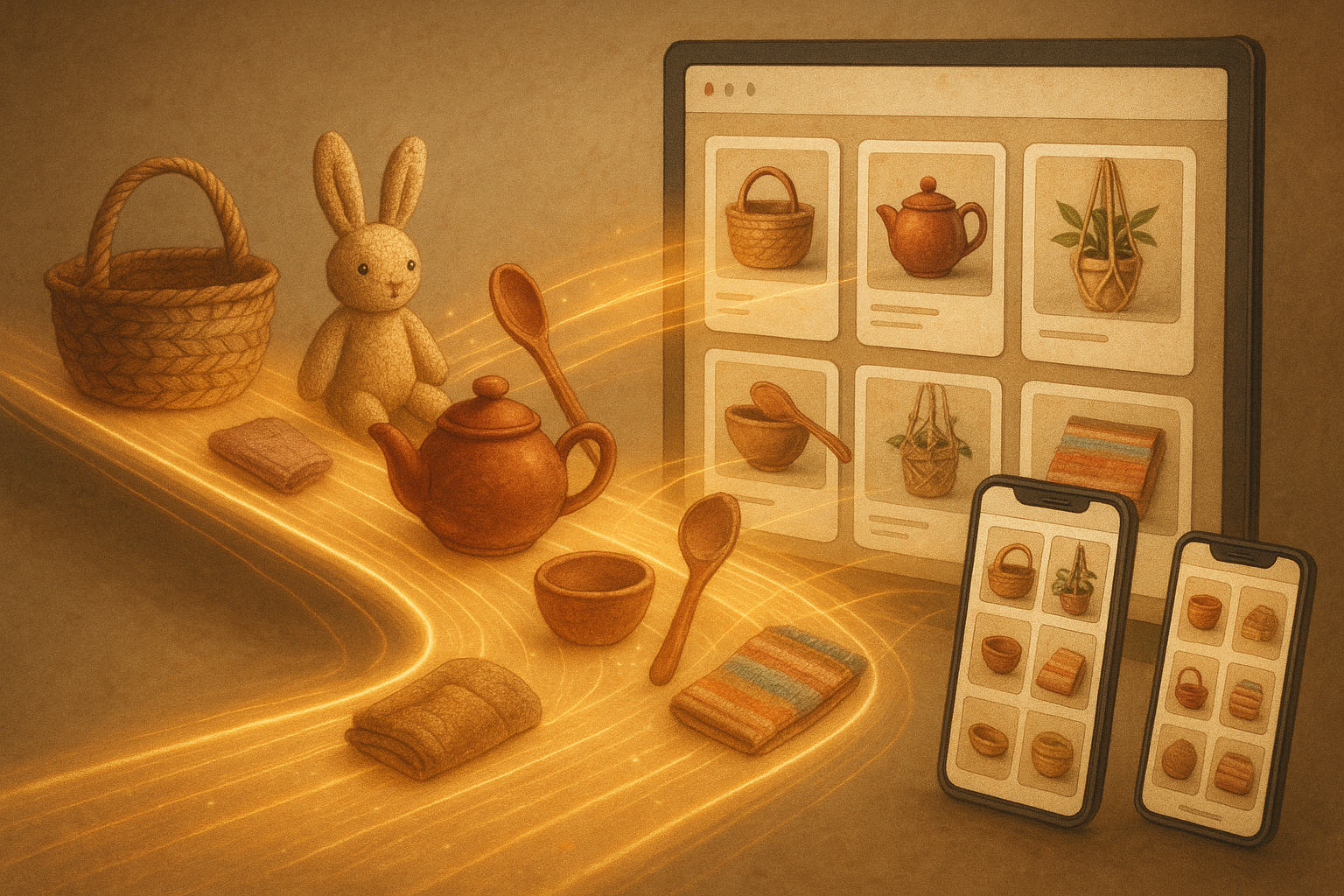
Why use a data feed for Instagram Shopping
- Always in sync. Items, titles, prices, images, and availability update automatically.
- Scale without headaches. No need to manually upload CSVs when you add or edit listings.
- Consistent discovery. Products appear in Facebook and Instagram Shops and become taggable in posts and stories.
- Multichannel ready. The same feed approach supports Google Shopping.
What you need before you start
- A Facebook Business account at business.facebook.com
- Your Facebook Page and Instagram account linked to the same Business account
- Instagram set to a Business or Creator account
- Your Etsy shop ready with high quality images and product details
- Catalog Generator for Etsy to generate the feed URL: https://catalog-generator.webyze.com/
Step by step. Sync Etsy listings with Instagram Shopping
- Create or confirm your Business account and link your profiles
- Go to business.facebook.com and create or access your Business account.
- In Business settings, connect your Facebook Page and Instagram account to the same Business account.
- Verify your Etsy shop domain in Business settings
- In Business settings, open Brand Safety and suitability, then Domains.
- Add your Etsy shop domain in the format yourshopname.etsy.com. You can confirm the subdomain by visiting it in your browser and checking that it redirects to your Etsy shop.
- Facebook will provide a meta tag. In your Etsy Shop Manager, go to Settings then Facebook Shops. Paste the meta tag into the field there and click Connect.
- Return to Business settings and click Verify. Your domain should now be verified.
- Generate a live data feed URL from Catalog Generator
- Sign up or log in at https://catalog-generator.webyze.com/
- Connect your Etsy shop to the app so it can read your listings.
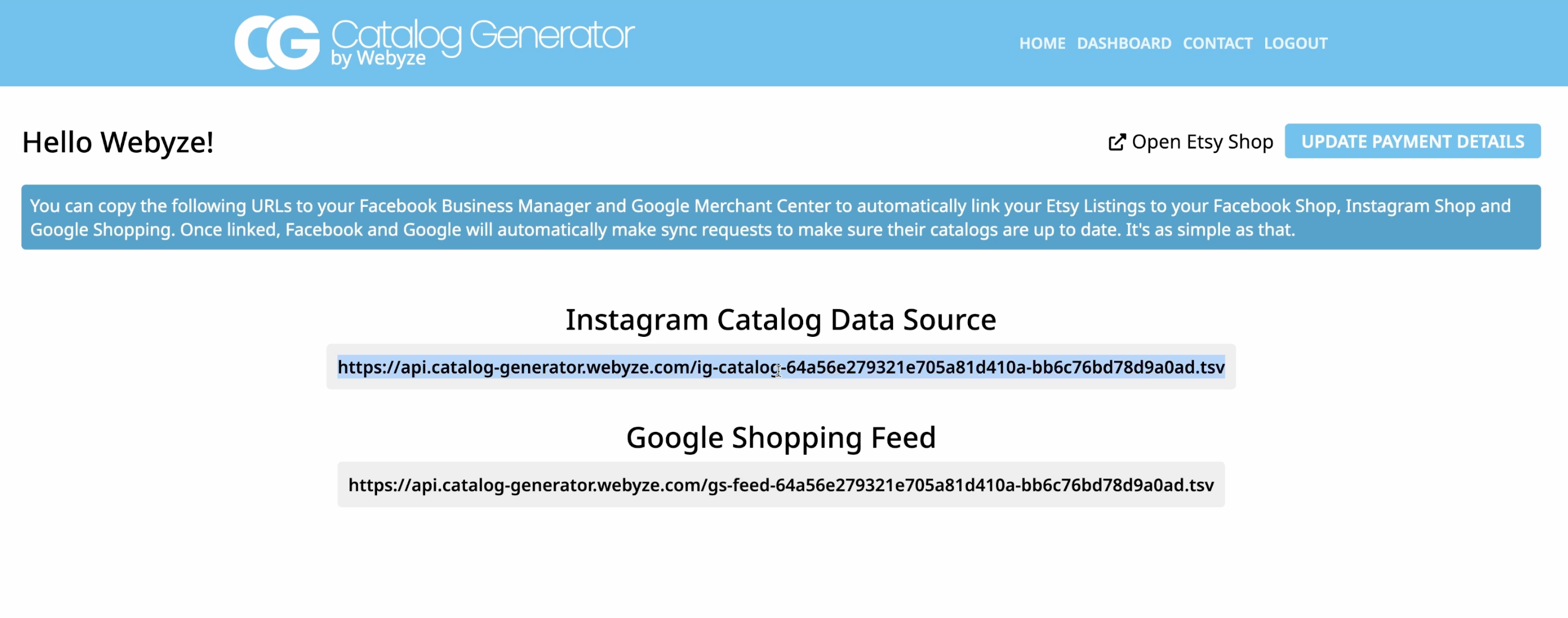
- Copy the feed URL provided in the dashboard. This is the URL Meta will fetch to populate your catalog.
- Create a catalog in Commerce Manager and choose data feed
- From your Business account, open Commerce Manager.
- Create or open your Commerce account, then go to Catalog.
- Click Add items and select Data feed. You do not need a template.
- Paste the feed URL and set your sync schedule
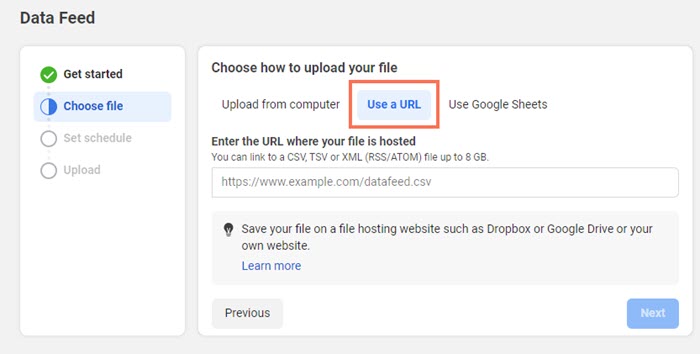
- When asked to provide items, choose Use a URL and paste the Catalog Generator feed URL.
- Leave optional username and password fields empty unless instructed otherwise.
- Set a schedule. Daily sync is a smart default for most Etsy shops.
- Submit your domain for approval
- In your catalog settings, find the domain approval section and submit your verified domain.
- Once approved, you can tag products in posts and stories and drive shoppers to your Etsy listings.
- Start tagging products on Instagram
- In the Instagram app, create a post or story, choose Tag products, and pick items from your synced catalog.
- Posts and stories will display tappable product tags that deep link to your Etsy listings.
Video walkthrough
Prefer to watch the setup flow end to end. Here is a quick tutorial:
Link your Etsy listings with your Instagram Account and Facebook Page — Catalog Generator for Etsy: https://www.youtube.com/watch?v=2ChLE92Cu4s
Prefer to watch the setup flow end to end. Here is a quick tutorial:
Link your Etsy listings with your Instagram Account and Facebook Page — Catalog Generator for Etsy: https://www.youtube.com/watch?v=2ChLE92Cu4s
Why use Catalog Generator for this workflow
- Zero manual uploads. Your catalog stays fresh as you add or edit Etsy listings.
- Fast setup. Paste a single URL into Commerce Manager and you are done.
- Multichannel expansion. Use the same approach to integrate with Google Shopping when you are ready to scale.
- Friendly pricing. Only 5 USD per month, billed monthly, with a 100 percent free 7 day trial. Cancel anytime.
- Helpful support. Clear instructions are provided and you can reach out if anything is unclear.
Get started now with a free trial: https://catalog-generator.webyze.com/
Optimization tips for higher approval and better performance
- Use clear product titles and detailed descriptions. Include materials, dimensions, and key attributes a buyer would search for.
- Choose strong primary images. Bright, high resolution photos against clean backgrounds often perform best in Shops.
- Keep pricing and availability accurate. With a data feed and daily schedule, your catalog reflects real time changes.
- Mind category and policy alignment. Ensure your items comply with Commerce policies and are assigned to appropriate categories.
- Add variants consistently. If your Etsy listing has variations, confirm they are represented in the feed and keep naming uniform.
- Encourage user generated content. After you enable product tagging, ask happy customers to tag your items in their posts.
Common questions
- Do I need a custom website to verify a domain. No. You can verify your Etsy subdomain yourshopname.etsy.com by placing the provided meta tag in Etsy Shop Manager settings under Facebook Shops.
- What happens when I add or update a listing on Etsy. Catalog Generator updates the feed automatically, and Meta pulls updates on the schedule you set, such as daily.
- Can I also appear in Facebook Shop. Yes. This setup populates both Facebook and Instagram Shops.
- Does this work for Google Shopping. Catalog Generator supports integrating your Etsy shop with Google Shopping as well.
Recap
- Create your Business account and link your Facebook Page and Instagram account.
- Verify your Etsy subdomain using the meta tag in Etsy settings.
- Install Catalog Generator for Etsy and copy your feed URL.
- In Commerce Manager, add a data feed using the URL and schedule daily sync.
- Submit your domain and start tagging products in posts and stories.
Next steps
- Open Catalog Generator and start your free trial: https://catalog-generator.webyze.com/
- Add a few new listings on Etsy and watch them automatically flow into your Instagram Shop.
- Tag products in your next post or story and measure the uplift in traffic and conversions.
With a clean data feed and automated sync, you can spend less time on catalog housekeeping and more time creating, photographing, and selling the items your followers love.