
How to Self-Host a Framer Site Without Rebuilding It
If your Framer site already looks right, you do not need to rebuild it just to change where it lives. The cleanest move is to export it as static files, keep the design intact, and deploy those files somewhere you control. That is the Framer exporter workflow ExFlow.site is built for.
What you will get from this guide
- A simple way to decide whether export is the right move.
- The ExFlow settings that actually matter.
- A practical way to choose between hosting, Git sync, S3, and FTP.
- A quick checklist for reviewing the export before you treat it as done.
Start With The Real Question
I usually start with one question: do you need Framer as a design tool, or do you need Framer as the place where the site is hosted?
If the answer is mostly about the design, exporting can make the whole project easier to move, back up, or hand off. If you want a Framer downloader or a Framer-to-HTML path because you need portable files, a static export gives you that bridge without forcing a redesign.
The useful middle ground is simple: keep the Framer design, export the site, and decide where the static version should live.
What ExFlow Actually Exports
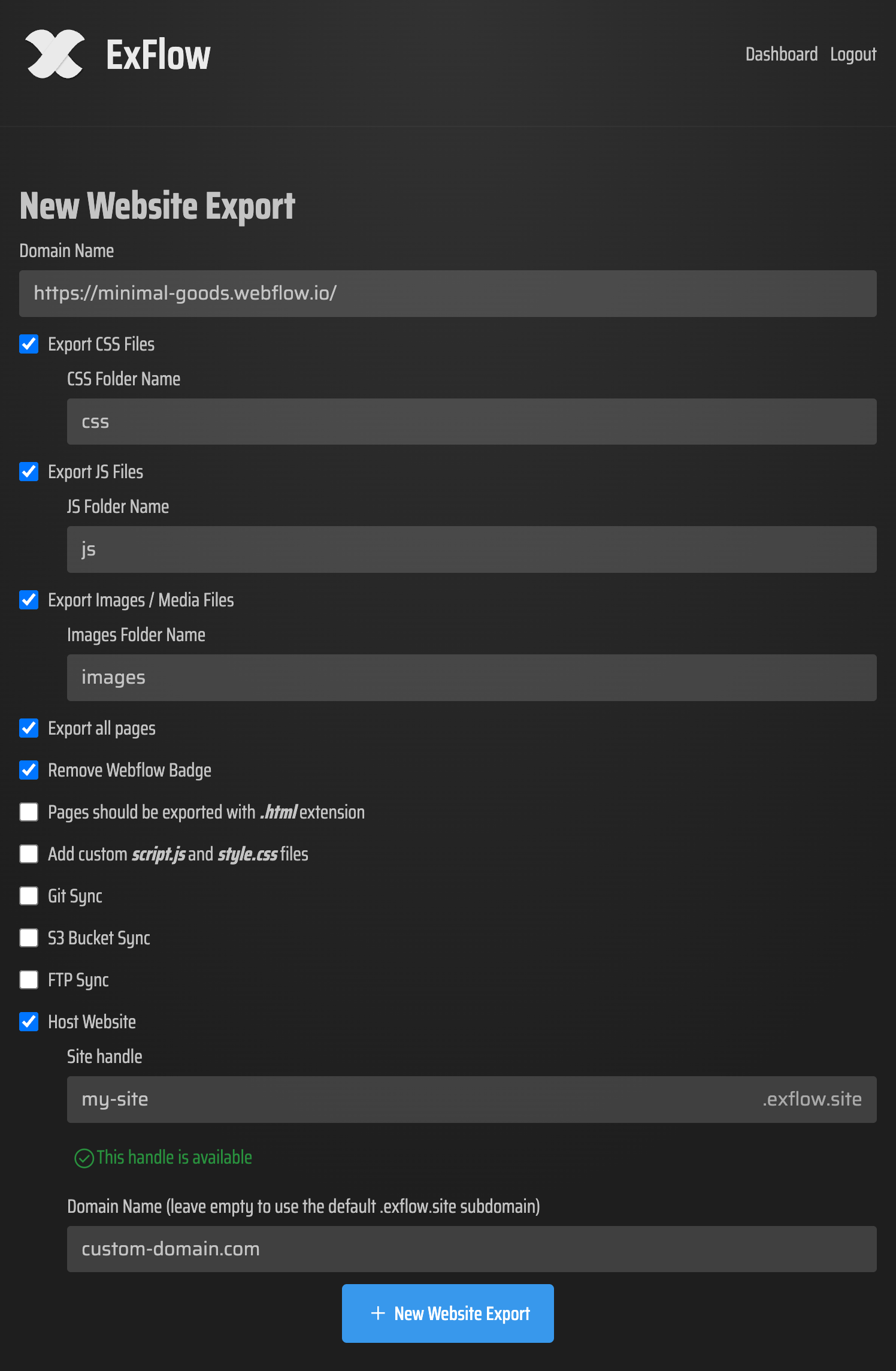
ExFlow is not just a download button. It is a Framer exporter that lets you type in a site URL, choose what gets included, and decide how the files move next.
The settings worth paying attention to are the ones that affect how complete the handoff feels:
- Export CSS files.
- Export JS files.
- Export images and media files.
- Export all pages.
- Remove the "Made with Framer" badge.
- Add custom script.js and style.css files.
- Sync to Git, S3, or FTP.
- Host the site after export if you want the simplest path.

That is the part people usually miss. A good export workflow is not only about getting files out. It is about making sure the files are complete enough that you can actually use them after the fact.
Here is the ExFlow configuration screen that matters most in practice:
Pick The Hosting Target Before You Export
I like to decide where the export is going before I click through the last step. That keeps the handoff from turning into an extra round of cleanup.
Use ExFlow hosting when you want the least friction
This is the simplest option if your main goal is to stop depending on Framer hosting while keeping the deployment path straightforward. It is the lowest-ops way to get a static version online.
Use Git when you want version control in the loop
If you want a reviewable trail, sync the export to Git. That gives you a normal change history and makes future updates easier to inspect.
Use S3 when you want a low-maintenance static bucket
S3 works well when you want a plain static host and do not need extra deployment ceremony. It is also easy to keep consistent across multiple exports.
Use FTP when you are moving into an existing server setup
FTP is the right fit when the hosting environment already exists and you just need the exported files delivered there reliably.

If you work in mixed stacks, the same export-first logic shows up in other migrations too. I would look at How to Export a Framer Site to HTML, CSS, JS, and Images, How to Export a Framer Site to GitHub Pages Without Rebuilding It, How I Export Webflow Sites to Static Hosting, Git, or FTP, and How to Self-Host a Squarespace Site on GitHub Pages Without Rebuilding It. The pattern is the same: separate design from hosting, then let the deployment step do less work.
Do A Quick Export Review
Once the export finishes, I do a fast pass before I call it done.
- Confirm that the main pages exported.
- Open a couple of CSS, JS, and image files to make sure the bundle is complete.
- Check whether the badge setting matches what you expected.
- Verify that any custom script or stylesheet is present if you added one.
- If you are syncing to Git, S3, or FTP, confirm the target received the same files you expected.
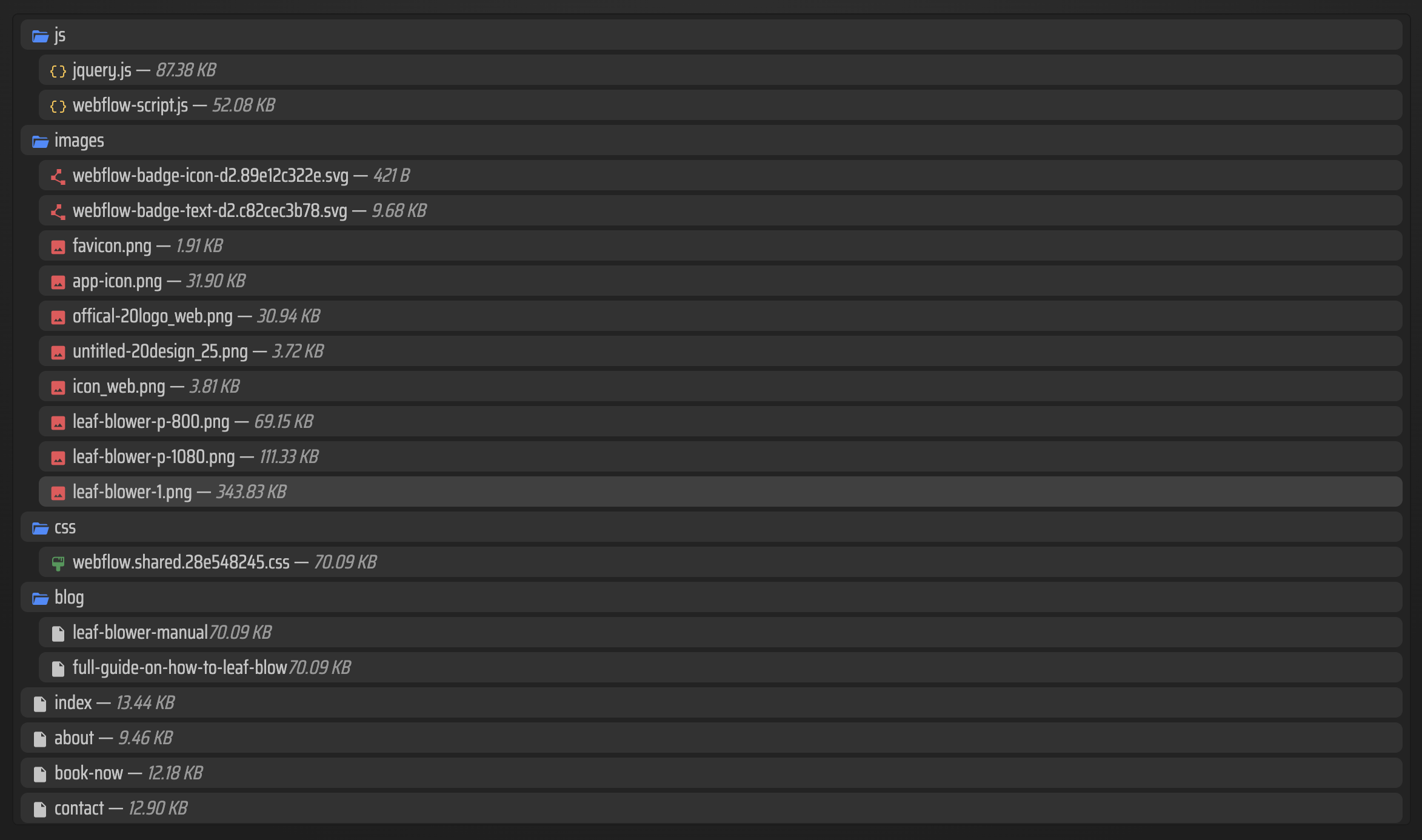
Here is a useful mental model: the exported bundle should feel like something you could hand to another operator without explaining the whole original Framer setup.
Here is what that usually looks like after export:
When This Workflow Is A Better Fit
This is the point where a Framer alternative starts making sense. Not because Framer is bad, but because the hosting layer is sometimes the part that no longer matches the job.
Export is a good fit when you want:
- A downloadable copy of the site.
- Static hosting you can control.
- A cleaner handoff to another developer or operator.
- A path that does not force you to rebuild the design.
If the site needs hosted editing or live Framer-specific collaboration, keep the original setup. If your real need is a portable site, the exporter is the simpler answer.
Bottom Line
If you want to self-host a Framer site without starting over, export the site first, decide on the hosting target second, and treat the exported files like the real deliverable. That gives you control without throwing away the design work you already paid for.
If you want the Framer-specific path, start with ExFlow.site, export one small site, and use that result as the template for the next one.