
How To Build An N8N Workflow For Automated AI Video Generation
If you already automate emails, posts, or data in your stack, there’s one more growth lever waiting in your toolbox: automated AI video. In this guide, you’ll learn how to build a reliable n8n workflow that generates ads, UGC-style clips, explainers, or even short films—fully automated—using the Scrptly AI Video Agent.
Scrptly turns plain-language prompts (plus optional reference images) into complete videos. Behind the scenes, a swarm of specialized sub-agents handles research, screenplay, character and environment design, narration, and editing—so you can scale video production without editors, voice talent, or motion designers.
Key outcomes of this tutorial:
- Build an end-to-end n8n workflow that generates videos automatically
- Feed dynamic data (products, scripts, or contexts) from triggers like Webhook, Google Sheets, or Cron
- Attach context images for character/object consistency
- Post the final video to cloud storage or social channels automatically
Learn more about Scrptly: https://scrptly.com/
Why Scrptly for n8n video automation
- Long-form strength: Scrptly shines at longer, consistent videos (think: full product stories, mini-docs, 60–180s ads).
- Character and object consistency: Provide context images (e.g., your product or character) and maintain continuity across scenes.
- Developer-friendly: API, a Video Development Kit (VDK), an MCP server for agent orchestration, and a native n8n node for low-code automation.
- Built to scale: Programmatic creation for teams, agencies, eCommerce, education, and research comms.
What you’ll build (architecture at a glance)
- Trigger: Webhook (or Cron/Google Sheets) provides a product name, benefits, CTA, and optional context image URLs.
- Prompt assembly: A Set or Function node pieces together a detailed video prompt.
- Scrptly node: Generates a complete video from the prompt and context images.
- Output: Upload to cloud (S3/Drive), notify Slack, or push to your CMS/socials—fully automated.
Prerequisites
- An n8n instance (self-hosted or cloud)
- A Scrptly account and API key: https://scrptly.com/
- Optional: Cloud storage (S3/Drive/Dropbox) and Slack/Email for notifications
Install the Scrptly n8n node
- In n8n, go to Settings > Community Nodes > Install New.
- Search: n8n-nodes-scrptly and click Install.
- In Credentials, add “Scrptly API” and paste your API key (get it from your Scrptly account page).
- In your workflow, add the Scrptly node and select your new credential.
Repository and docs for the node: https://github.com/ybouane/n8n-nodes-scrptly
Step-by-step: Build the workflow
- Add a trigger
- Webhook: Perfect for web apps or forms.
- Cron: Run daily/weekly for scheduled batch video generation.
- Google Sheets/Database: Pull rows with product briefs.
Example Webhook payload (JSON)
{

  "productName": "Aurora Leather Tote",

  "benefits": ["Full-grain leather", "Fits 15-inch laptop", "Lifetime stitching"],

  "voice": "warm, trustworthy, lifestyle",

  "cta": "Shop the new drop today",

  "aspect": "9:16",

  "lengthSec": 45,

  "contextImages": [

    "https://example.com/imgs/tote-front.jpg",

    "https://example.com/imgs/tote-lifestyle.jpg"

  ]

}- Assemble a dynamic prompt
Add a Set node (or Function) to craft a detailed prompt using expressions from the trigger. Example prompt template:
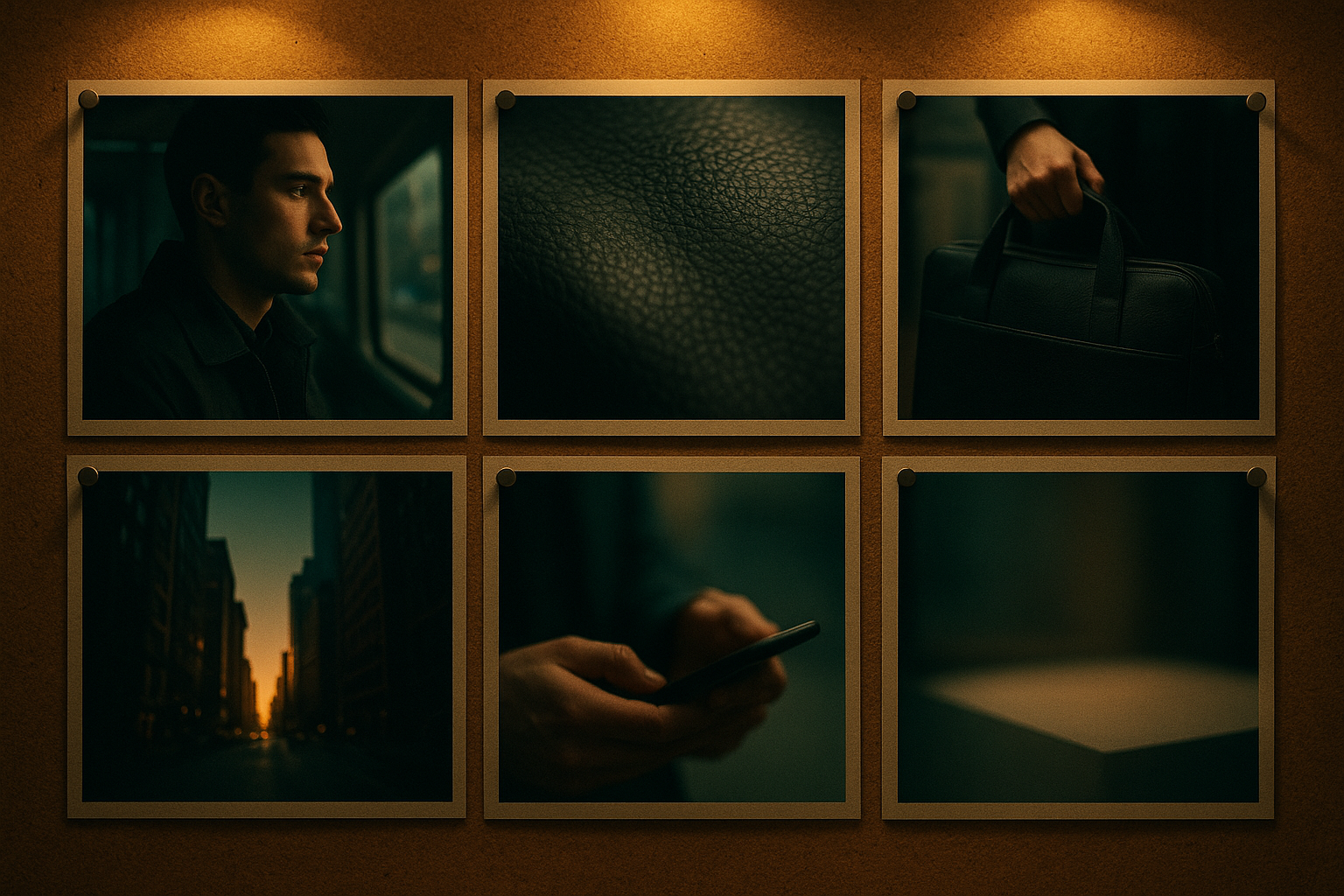
Create a UGC-style product video about {{$json.productName}}.

Tone: {{$json.voice}}. Length: ~{{$json.lengthSec}} seconds. Aspect: {{$json.aspect}}.

Show 4–6 quick scenes:

1) Hook within 2s: a relatable moment around daily carry.

2) Close-up textures and stitching; macro shots that feel tactile.

3) Capacity test: laptop + notebook + water bottle.

4) Real-life lifestyle b-roll in natural light, city backdrop.

5) Social proof style line overlay: “Loved by commuters.”

6) CTA on a clean background.

Narration: friendly and concise, with clear pacing.

Visual style: clean, warm lifestyle, soft natural light, gentle camera motion.

Include on-screen captions synced to narration.

End with CTA: “{{$json.cta}}”.- Configure the Scrptly node
- Prompt: Use the Set node output.
- Context Images: Map the array of URLs so Scrptly can keep objects consistent across scenes.
- Approve Up To (budget): Start with default; increase for longer or more complex briefs.
- Wait For Completion: On for simple flows; off if you want to return a task ID and check status later.
- Post-process the result
Depending on your stack:
- Upload: Use S3/Drive/Dropbox nodes to store the final file. Save the public URL.
- Distribute: Push to social via their API nodes or schedule posts in your CMS.
- Notify: Send a Slack message or Email with the video link, runtime, and thumbnail.
- Add resilience and observability
- Error handling: Add an IF node to catch failures and route to a notification channel.
- Logging: Write the task ID, prompt, and output URL to a Sheet/DB for auditability.
- Rate limiting: Respect platform limits by adding delays or queues for bursts.
Example n8n mapping
- Webhook → Set (prompt) → Scrptly (generate video) → S3 (upload) → Slack (notify)
Prompt engineering tips for consistent, high-performing videos
- Lock visual identity: Provide 1–3 high-resolution context images (product angles, textures, environments).
- Name characters and locations: “Protagonist: ‘Alex’, a commuter; Location: city cafe at golden hour.” Names help the agent keep continuity.
- Specify structure: Shot count, pacing, and beats yield more predictable outcomes.
- Voiceover control: Indicate narration tone, pace, timbre, and whether captions are needed.
- Aspect/length: Declare 9:16 for Shorts/TikTok/Reels, 16:9 for YouTube, and your target duration.
- Compliance: Avoid restricted claims and ensure footage aligns with platform policies.
Sample advanced prompt (paste into the Scrptly node)
Generate a 60–75s lifestyle ad titled “Morning Momentum.”

Style: warm, documentary-lite, handheld feel with subtle stabilization.

Characters: Alex (early 30s), morning commuter; focus on authenticity.

Product focus: Aurora Leather Tote; emphasize durability and capacity.

Structure:

- Hook (0–2s): quick, relatable moment (keys, coffee, bag strap).

- Texture macro (3–8s): close-up leather grain, stitching, zipper.

- Capacity demo (9–20s): smoothly pack laptop, notebook, bottle.

- Commute b-roll (21–40s): street crossings, cafe doorway, train window.

- Social proof (41–55s): overlay short quotes; add gentle whoosh transitions.

- CTA (56–70s): clean scene, centered bag, clear text.

Narration: warm, grounded; captions on.

Color: natural, soft highlights; keep skin tones realistic.

Aspect: 9:16. Export with crisp text overlays and safe margins.

End frame: CTA — “Shop the new drop today”.
Automation patterns you can copy
- Batch production: Cron trigger pulls 10 rows from a sheet, loops over each, generates 10 videos overnight.
- Event-driven ads: Webhook triggers when a new product hits your eCommerce CMS; the workflow builds a product reel instantly.
- Research explainers: Pull new blog posts via RSS, summarize, and generate 60s explainers for Shorts.
Why this stack scales
- Scrptly’s agent swarm: Research → screenplay → character + environment → scene selection → narration → edit → final export—no human stitching required.
- Long-form reliability: Consistency across scenes and characters reduces revision loops.
- Developer options: Use Scrptly’s API/VDK for custom pipelines, and the MCP server to plug into agent frameworks.
Optional: Programmatic generation (outside n8n)
If you need granular control in code, install the SDK:
If you need granular control in code, install the SDK:
npm install scrptly

# or

yarn add scrptly
Then authenticate and call the AI Video-Agent:
import Scrptly from 'scrptly';


Scrptly.setApiSettings({

  apiKey: process.env.SCRPTLY_API_KEY,

});


// Pseudo-example: create a video task

const task = await Scrptly.videoAgent.create({

  prompt: 'Create a 45s 9:16 UGC ad about our Aurora Leather Tote... ',

  contextImages: [

    'https://example.com/imgs/tote-front.jpg',

    'https://example.com/imgs/tote-lifestyle.jpg'

  ],

});


// Optionally poll for completion, then fetch the final file URL
Explore Scrptly and the developer platform: https://scrptly.com/
Troubleshooting and best practices
- Timeouts: For very long videos, increase your n8n node timeout or use “Wait For Completion: off” and poll by task ID.
- Budget tuning: If outputs feel under-detailed, raise the “Approve Up To” setting for more complex processing.
- File sizes: Post-process with a compression node before uploading to social apps with strict limits.
- Retention: Store task IDs and prompts; quick rollback helps with audit and iteration.
Quick checklist
Install the Scrptly n8n node and add credentials
Create a trigger (Webhook/Cron/Sheets)
Build a structured prompt and map context images
Configure budget and completion behavior
Upload the result and notify your team
Log outputs for tracking and iteration
Next steps
- Try the node in a sandbox workflow today and generate your first automated ad: https://scrptly.com/
- Browse the n8n node repo and examples: https://github.com/ybouane/n8n-nodes-scrptly
- Scale up with the API/VDK and MCP server for multi-channel or multi-brand pipelines.
With this setup, you’ll have a dependable production line for Shorts, Reels, promos, and explainers—on autopilot. Turn your prompts into polished videos while your workflow handles the rest.