
How To Automate Short-Form Video Creation In N8N Workflows
If you’re publishing Reels and Shorts at scale, you already know the grind: sourcing clips, writing hooks, editing, captions, voiceover, formatting to 9:16, exporting, and distributing. In this guide, you’ll learn how to automate short-form video creation in n8n using Scrptly’s AI Video Agent—so a prompt (plus optional reference images) becomes a polished video, hands-free.
Along the way, we’ll cover prompt templates, best practices, and tips for bulletproof automation. Want to try it first? Visit Scrptly: https://scrptly.com/
Why Scrptly + n8n is ideal for short-form automation
- End-to-end video generation: Feed a single prompt (and optional context images) and get a finished, edited video with narration and scenes.
- Consistent characters and environments: Perfect for UGC-style series, product showcases, and episodic explainers.
- Built for automation: Use the Scrptly n8n node to generate videos on schedule, from webhooks, or from a spreadsheet of ideas.
- Scales from short to long: While optimized for long-form consistency, Scrptly also excels at rapid short-form output.
Quick prerequisites
- An n8n instance (self-hosted or cloud)
- A Scrptly account and API key: https://scrptly.com/
- Optional: A data source (Google Sheets, Airtable, webhook) containing your video topics or products
Step-by-step: Automate short-form video creation in n8n
- Install the Scrptly community node
- In n8n, go to Settings > Community Nodes > Install New.
- Search: n8n-nodes-scrptly and click Install.
- Source code and docs: https://github.com/ybouane/n8n-nodes-scrptly
- Add your Scrptly API credentials
- In the editor, open the Credentials panel.
- New Credential > Scrptly API.
- Paste your API key (retrieve it from your Scrptly account page) and Save.
- Build the workflow
- Trigger: Use a Schedule (e.g., every hour), a Webhook (fire on new submissions), or a Google Sheets trigger (new row). This trigger should output fields like topic, product_name, benefits, hook, and image_urls.
- Scrptly node (core step):
- Distribution: Add nodes to upload and publish—e.g., save to cloud storage, send to an approval channel, then post via platform-specific nodes.
- Test and iterate
- Start with a single topic row and confirm the output meets your brand voice. Adjust the prompt and context images for style and consistency. Then scale by running the workflow on a schedule.
Pro prompt templates for short-form videos
Use these in the Scrptly node’s Prompt field. Substitute fields with data from previous nodes.
Use these in the Scrptly node’s Prompt field. Substitute fields with data from previous nodes.
A) UGC product unboxing (20–30s)
"Create a 20–30 second vertical video in a friendly, authentic UGC style. Use a dynamic hook in the first 2 seconds. Show hands unboxing a [{{
"Create a 20–30 second vertical video in a friendly, authentic UGC style. Use a dynamic hook in the first 2 seconds. Show hands unboxing a [{{
json.product_name}}], include close-ups of key features [{{json.features}}], and natural b-roll lifestyle moments that match a cozy, everyday vibe. Keep character and product consistent across shots using the provided reference images. Add subtle animated captions with the main phrases: [{{$json.key_phrases}}]. Include a warm, conversational narration. End with a clear CTA: 'Try it today.' Aspect ratio: 9:16. Pacing: snappy but not rushed. Color grade: soft, modern."B) “3 quick tips” educational micro-explainer
"Produce a 25-second vertical explainer titled '3 Quick Tips for [{{$json.topic}}]'. Open with a bold 2-second hook. Present tips with kinetic text and minimal, tasteful animated icons. Include cutaway scenes that reinforce each tip. Maintain visual consistency using reference images if provided. Narration should be crisp and encouraging. Add on-screen captions synced to key lines. End with a recap and a gentle CTA. Aspect ratio 9:16, clean transitions, bright yet balanced color palette."
"Produce a 25-second vertical explainer titled '3 Quick Tips for [{{$json.topic}}]'. Open with a bold 2-second hook. Present tips with kinetic text and minimal, tasteful animated icons. Include cutaway scenes that reinforce each tip. Maintain visual consistency using reference images if provided. Narration should be crisp and encouraging. Add on-screen captions synced to key lines. End with a recap and a gentle CTA. Aspect ratio 9:16, clean transitions, bright yet balanced color palette."
C) Product benefits reel
"Make a fast-paced 20-second vertical reel highlighting the top 3 benefits of [{{
"Make a fast-paced 20-second vertical reel highlighting the top 3 benefits of [{{
json.product_name}}]: [{{json.benefit1}}], [{{json.benefit2}}], [{{json.benefit3}}]. Start with an eye-catching opener, then sequence each benefit with matching visuals, animated captions, and a brief narration line. Use reference images for consistent product presence. Keep typography clean and legible. Aspect ratio 9:16. Finish with a strong CTA overlay: 'Learn more.'"Tip: In the Scrptly node, set Context Images to your product packshots, brand elements, or character references to ensure consistent scenes throughout the video series.
A starter workflow blueprint
- Trigger: Google Sheets (New Row)
- Scrptly (Generate AI Video): use prompt template + map sheet columns to variables + add context images from a URL column
- File Storage: Upload the returned video URL to your storage (e.g., S3, Drive) or save the link to your sheet
- Optional QA step: Post to your internal chat for approval
- Publish: Use platform nodes to push live on a schedule
Best practices for reliable automation
- Lead with the outcome: Specify duration, aspect ratio, tone, and CTA at the top of your prompt.
- Use context images: Feed product photos or character references to ensure visual consistency across episodes.
- Parameterize with data: Pull variables from your trigger source for hooks, features, and CTAs (e.g., {{$json.hook}}).
- Budget wisely: Adjust Approve Up To if you request complex scenes or multiple versions.
- Add compliance and brand checks: Route drafts to an approval step before auto-posting.
- A/B test styles: Create two Scrptly nodes with small prompt variations and compare engagement.
- Log everything: Store prompt, output URL, and performance metrics for continuous optimization.
Developer corner: API and programmatic control
Prefer code-first automation or hybrid flows? Scrptly exposes a JavaScript SDK and API in addition to the n8n node.
Prefer code-first automation or hybrid flows? Scrptly exposes a JavaScript SDK and API in addition to the n8n node.
Example setup
import Scrptly from 'scrptly'
import Scrptly from 'scrptly'
Scrptly.setApiSettings({
apiKey: process.env.SCRPTLY_API_KEY,
})
apiKey: process.env.SCRPTLY_API_KEY,
})
// Then use the AI Video-Agent API or VDK to generate videos programmatically
Explore Scrptly and its API: https://scrptly.com/
Automate multi-channel distribution
- Storage: Save videos to cloud buckets for archiving and reuse.
- CMS: Write metadata (title, tags, CTA) back to your spreadsheet or database.
- Social publishing: Queue posts with captions and hashtags pulled from your data source.
- Analytics: Log view counts and engagement back to your sheet to rank winners.
Troubleshooting quick hits
- Video takes too long: Shorten duration, simplify scenes, or toggle Wait For Completion off and poll status later.
- Style mismatch: Provide clearer references and tone; specify color grading, pacing, and caption style explicitly.
- Inconsistent product visuals: Supply 2–4 high-quality product images as context and keep them consistent across runs.
- Low engagement: A/B test your hook and CTA lines; iterate fast by scheduling multiple prompt variants per topic.
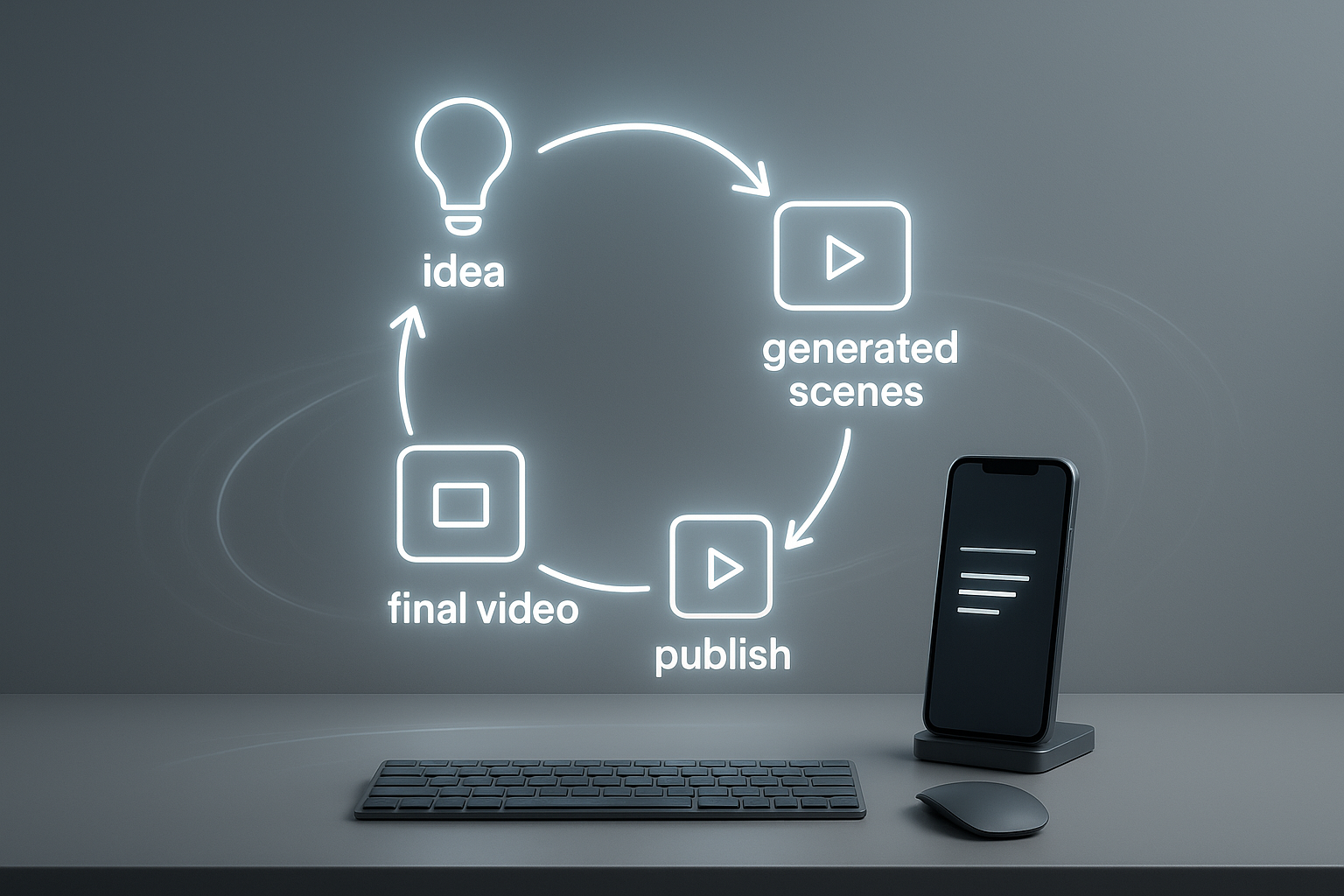
Ready to build your engine?
Once you’ve installed the node and tried a few prompt templates, you’ll have a repeatable system for daily Reels and Shorts—without endless manual editing. Scrptly’s AI Video Agent handles research, scene generation, narration, and editing, while n8n orchestrates your inputs and distribution.
Once you’ve installed the node and tried a few prompt templates, you’ll have a repeatable system for daily Reels and Shorts—without endless manual editing. Scrptly’s AI Video Agent handles research, scene generation, narration, and editing, while n8n orchestrates your inputs and distribution.
Get started now:
- Try Scrptly: https://scrptly.com/
- Install the community node: https://github.com/ybouane/n8n-nodes-scrptly
Ship more videos in less time—and keep your brand consistent across every short you publish.