
How I Export a Squarespace Site to Static HTML and Host It Anywhere
I keep coming back to the same question with Squarespace projects: do I want a website builder, or do I want files I can move?
For client sites and my own experiments, portability usually wins. That is why I use ExFlow when I want a Squarespace site I can download, inspect, and host on my own terms. Instead of leaving the site trapped in one platform, I can export the pages, assets, and supporting CSS/JS into static files.
Why I Export Squarespace Instead of Rebuilding
Squarespace is good at fast, polished publishing. The problem starts when the site outgrows the original setup or the monthly bill stops feeling justified. At that point, I care about three things: keeping the files, keeping the layout stable, and keeping an exit path.
That is the main appeal of a Squarespace exporter. If I can download the site, I can review what was actually built, host it somewhere cheaper, and make smaller changes without committing to a full rebuild.
What ExFlow Actually Exports
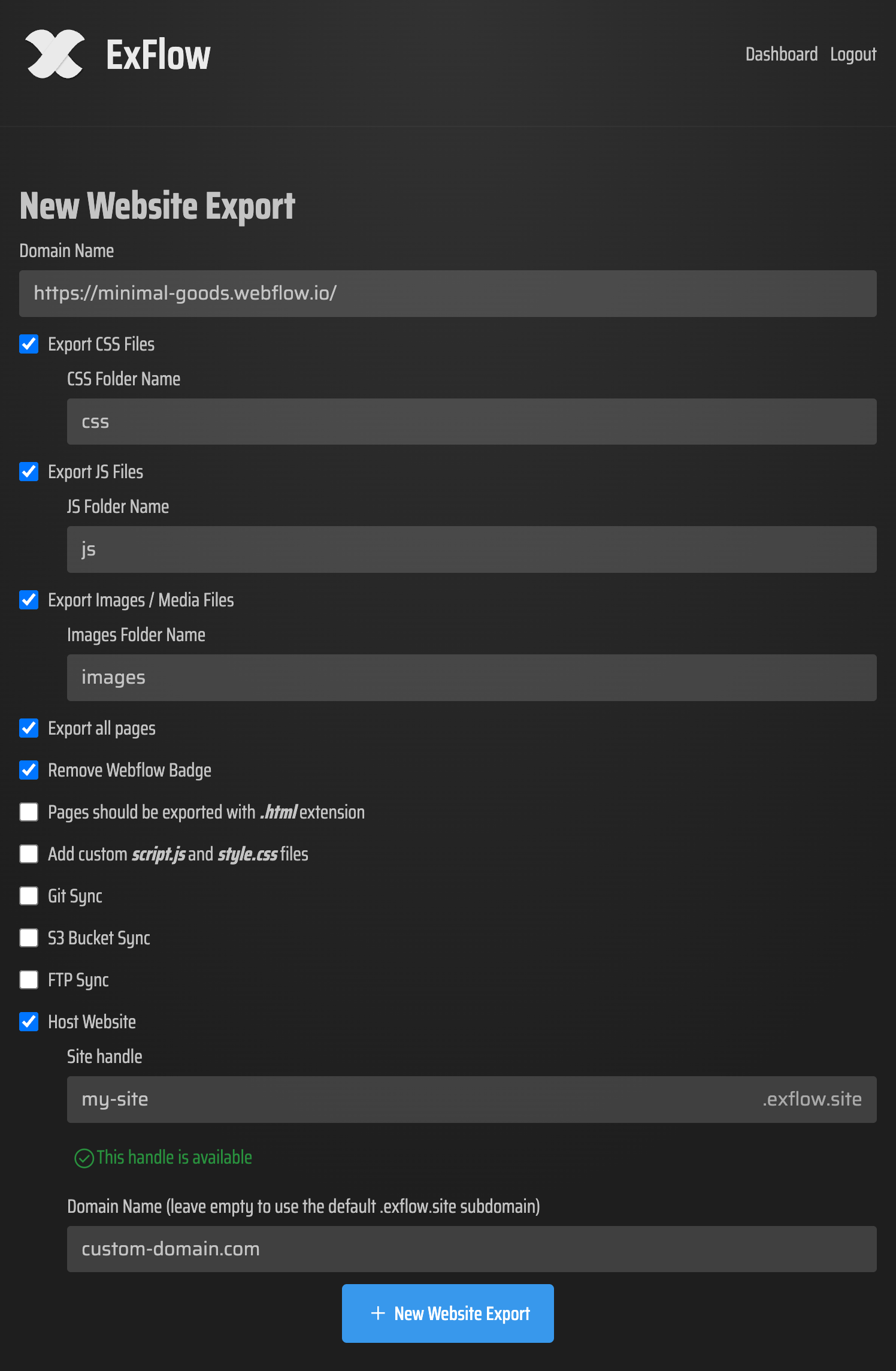
ExFlow.site is built around the parts I need after I leave Squarespace:
- The site URL you type in
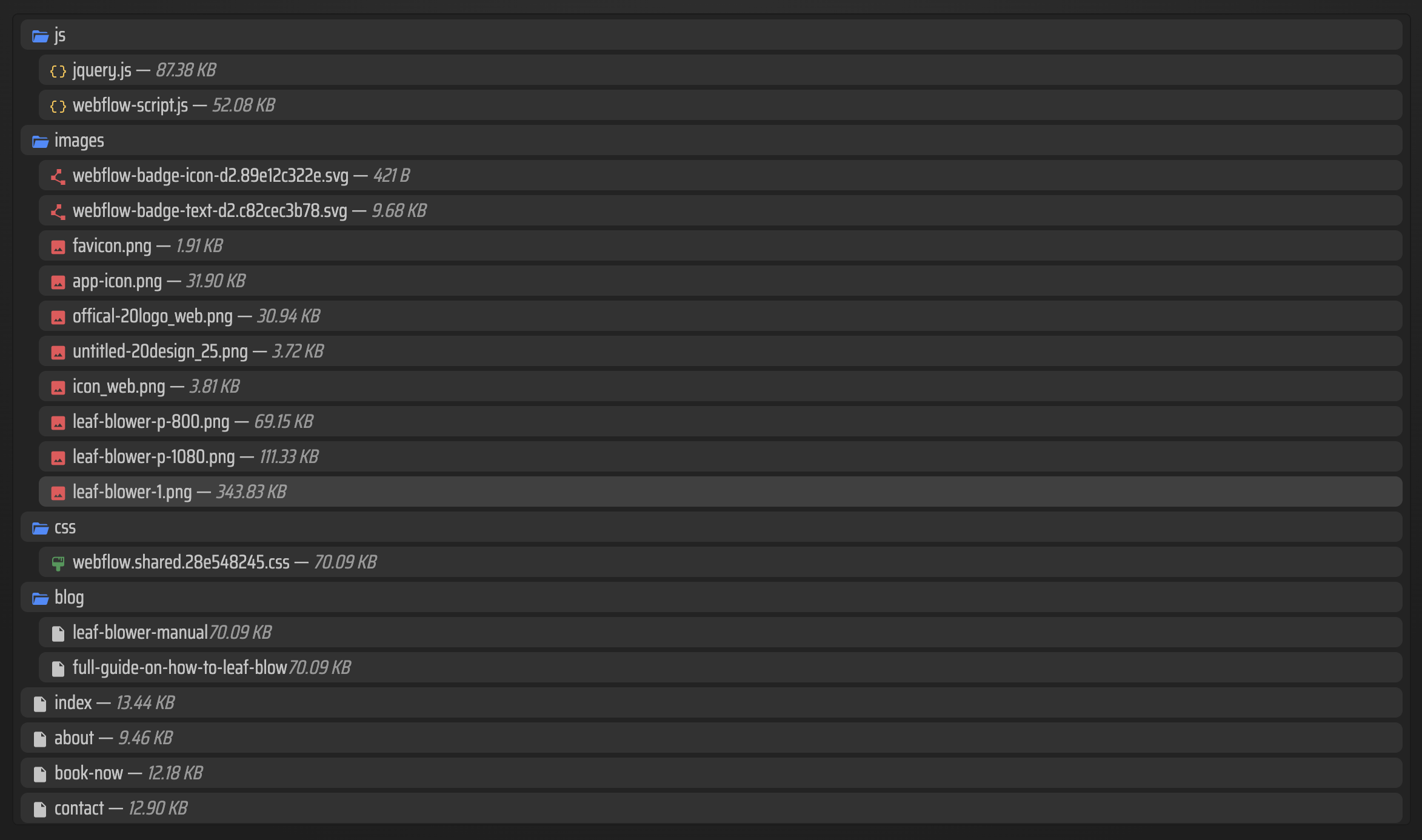
- CSS files
- JavaScript files
- Images and media
- All pages
.htmloutput for pages- Optional
script.jsandstyle.css - Sync targets for Git, S3, and FTP
- Hosting on ExFlow with unlimited bandwidth
That matters because export tools fail in boring ways. They grab the shell of a site and lose the media, the scripts, or the page structure. I do not want a partial backup. I want something I can actually deploy.
My Workflow
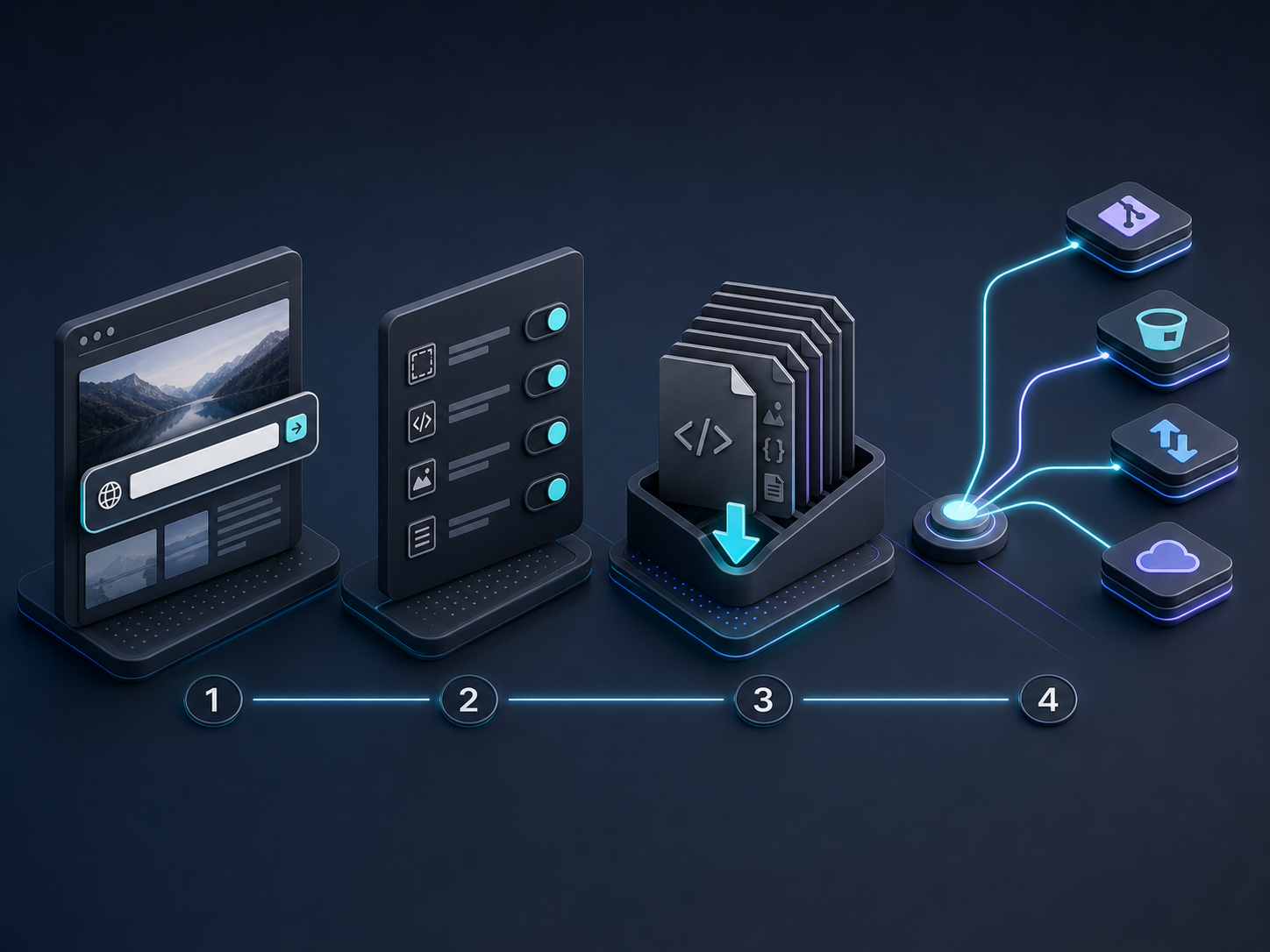
The sequence I use is simple.
- Enter the Squarespace URL.
- Choose the export settings that match the job.
- Export all pages so the site is complete, not just the homepage.
- Keep CSS, JS, and media files together so the output still behaves like the original site.
- Decide whether I want to download the bundle or sync it directly to Git, S3, or FTP.
If the site is password-protected, I only use this workflow when I have the credentials and the right to export it. That is important because the tooling can only work with access it is given.

How I Pick a Hosting Destination
This is where export becomes a real operational choice instead of a demo.
| Destination | I use it when | Tradeoff |
|---|---|---|
| ExFlow hosting | I want the fastest path from export to live site | Less control than managing my own stack |
| Git sync | I want version history and a deployable source tree | Requires repo access and a deployment step |
| S3 sync | I want cheap static hosting with simple scaling | Bucket setup takes a little more work |
| FTP sync | I already have classic web hosting in place | Old-school, but it gets the job done |
For me, the decision is less about ideology and more about maintenance cost. If I expect the site to change often, Git feels best. If I just want a stable static copy, ExFlow hosting or S3 is usually enough.
When I Would Not Export
I would not reach for ExFlow if the site is being actively redesigned from scratch, or if the export target is going to change the structure so much that a rebuild is cheaper. I also would not assume every plan gives the same limits, because export size, site count, and sync features can vary by plan.
The useful question is not "Can I export it?" It is "Will exporting save me time and money compared with rebuilding?"
The Bigger Pattern
Squarespace is just one example. I use the same export-first logic in How I Self-Host a Webflow Site With Git, S3, or FTP, How I Export a Framer Site Without Losing Pages or Assets, How I Self-Host a Webflow CMS Site Without Rebuilding It, and How I Export a Webflow CMS Site to Static HTML. In each case, the goal is the same: keep the files, keep the options open, and avoid getting locked into one publishing path.
Bottom Line
If you want to keep a Squarespace site portable, ExFlow gives you a practical way to get there. Start with one URL, export the full site, check the HTML output, and decide whether you want to host it on ExFlow, Git, S3, or FTP.
If you have a Squarespace site that is getting too expensive or too rigid, export a single page first and see how the static copy behaves. That tells you quickly whether a full migration is worth it.