
AI UGC Videos vs Influencer Shoots: When Each Wins
<p>When I need more Shopify video creative, I do not start by asking whether AI is better than creators. I start by asking what job the video has to do: test a hook, explain a product, push a seasonal offer, or build trust with a real testimonial. That distinction keeps me from paying for a full shoot when I only need a usable variation.</p>
<p>For the fast-variation cases, I use <a href="https://supra-ugc-maker.sktch.io/">Supra UGC Maker</a> and, when I need the storefront context, I also keep the <a href="https://apps.shopify.com/supra-ugc-maker">Shopify App Store listing</a> handy. The app is built for AI-powered UGC-style product videos with avatars, scenes, scripts, speech, and product references, so I can move from product brief to publishable concept without rebuilding the workflow every time.</p>
<figure>
<img src="https://iili.io/CNfqAjs.png" alt="Decision matrix for AI UGC versus influencer shoots">
<figcaption>The decision is less about ideology and more about which job needs to be done.</figcaption>
</figure>
<h2>My rule of thumb</h2>
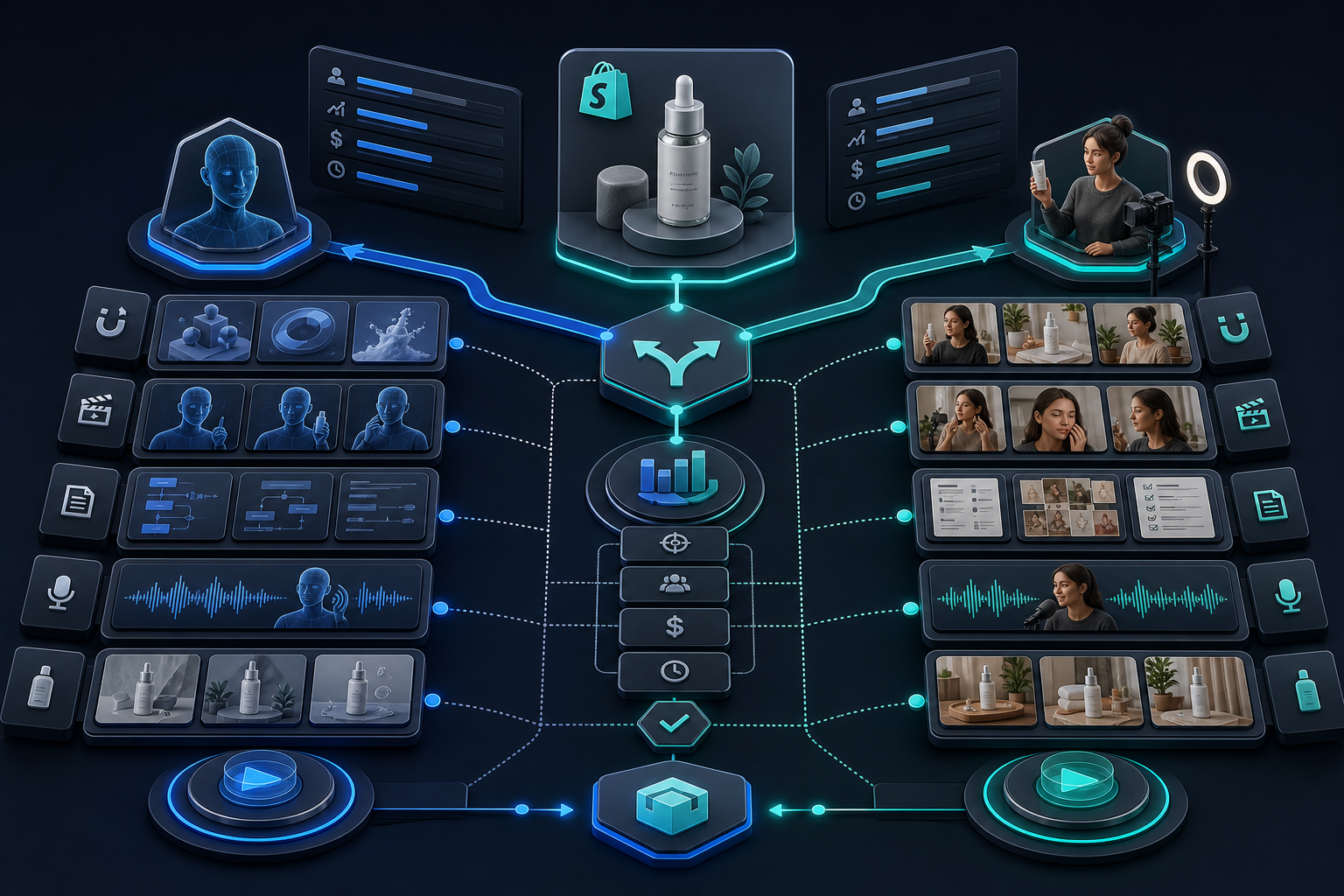
<p>I use AI UGC videos when speed, volume, and controlled iteration matter more than creator identity. I still use human creators when authenticity depends on a real person’s voice, reputation, or lived experience.</p>
| Use AI UGC when | Use a creator shoot when |
| You need multiple hooks or offers fast | You need firsthand testimony or community trust |
| The product is easy to show with product references and scenes | The story depends on personality, identity, or a niche audience |
| You want one asset to spin into ads, product pages, email, and post-purchase | You want a creator’s audience, reputation, or cultural signal |
| You are testing before you spend on a bigger production | You already know the concept works and need a premium human-led asset |
<p>That is why this workflow pairs so well with other systems I have written about, like <a href="https://how-to-blog.gitlab.io/2026/07/13/how-to-build-a-shopify-ugc-video-ad-matrix-without-a-shoot/">How to Build a Shopify UGC Video Ad Matrix Without a Shoot</a>. Once the ad matrix exists, the question becomes which concepts deserve a human shoot and which can be covered by AI-generated variants.</p>
<h2>What I customize in Supra UGC Maker</h2>
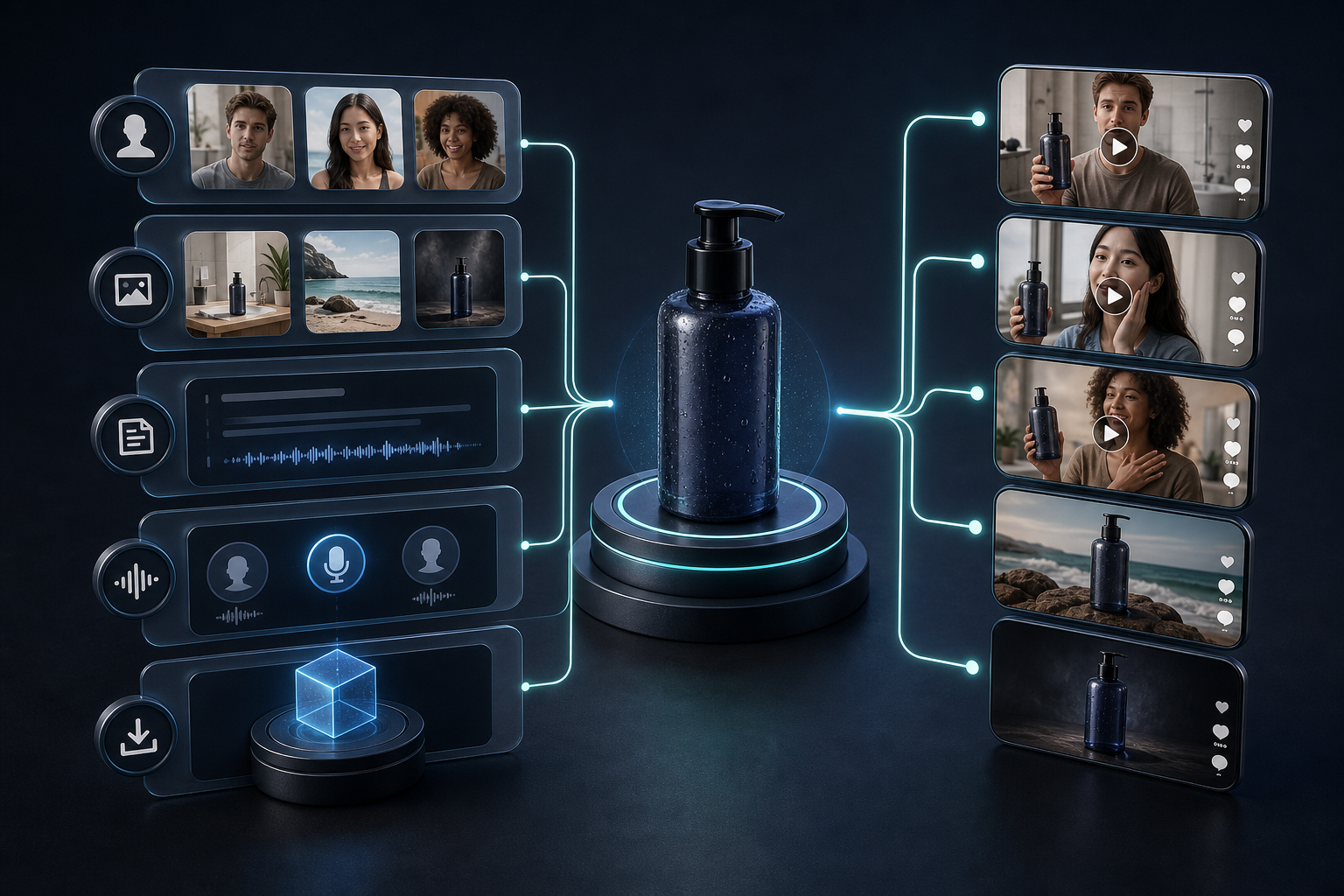
<p>The part I care about is not just the avatar. It is the whole bundle: avatar, scene, product, script, and tone. Supra UGC Maker lets me choose a preset avatar or generate a custom AI model, then place the product into a specific scene, write the script, and generate the video segments as reusable projects.</p>
<ul>
<li><strong>Avatar selection:</strong> start with a preset or build a custom model when the brand needs a specific on-screen look.</li>
<li><strong>Scene control:</strong> move between studio, outdoor, boutique, or brand-specific settings without rebooking a shoot.</li>
<li><strong>Script and voice:</strong> change the hook, tone, and call to action without touching the rest of the production stack.</li>
<li><strong>Reordering and regeneration:</strong> trim, update, and regenerate clips inside one project instead of starting from zero.</li>
<li><strong>Reuse:</strong> save scenes and projects so the next campaign starts from something already reviewed.</li>
</ul>
<figure>
<img src="https://iili.io/CNfquun.png" alt="AI UGC workflow from product to video variations">
<figcaption>My preferred pattern is one product input, then several deliberate variations.</figcaption>
</figure>
<p>The reason I like this structure is that it behaves more like a production system than a one-off prompt. If the first variant is too polished, I can shift the scene. If the hook is too soft, I can rewrite the script. If the tone feels off, I can regenerate just that segment. That is much easier to manage than trying to tweak a creator brief after the fact.</p>
<p>If your upstream assets are weak, the better move may be to fix the inputs first. I usually get more leverage from the workflow in <a href="https://the-lean-ecommerce.github.io/2026/07/18/one-product-photo-try-on-lifestyle-ad-assets/">How I Turn One Product Photo Into Try-On, Lifestyle, And Ad Assets</a> or <a href="https://the-lean-ecommerce.blogspot.com/2026/07/how-to-build-shopify-product-photo.html">How to Build a Shopify Product Photo Pipeline That Covers Every Channel</a> before I ask any video tool to do heavy lifting.</p>
<h2>Where I use the videos</h2>
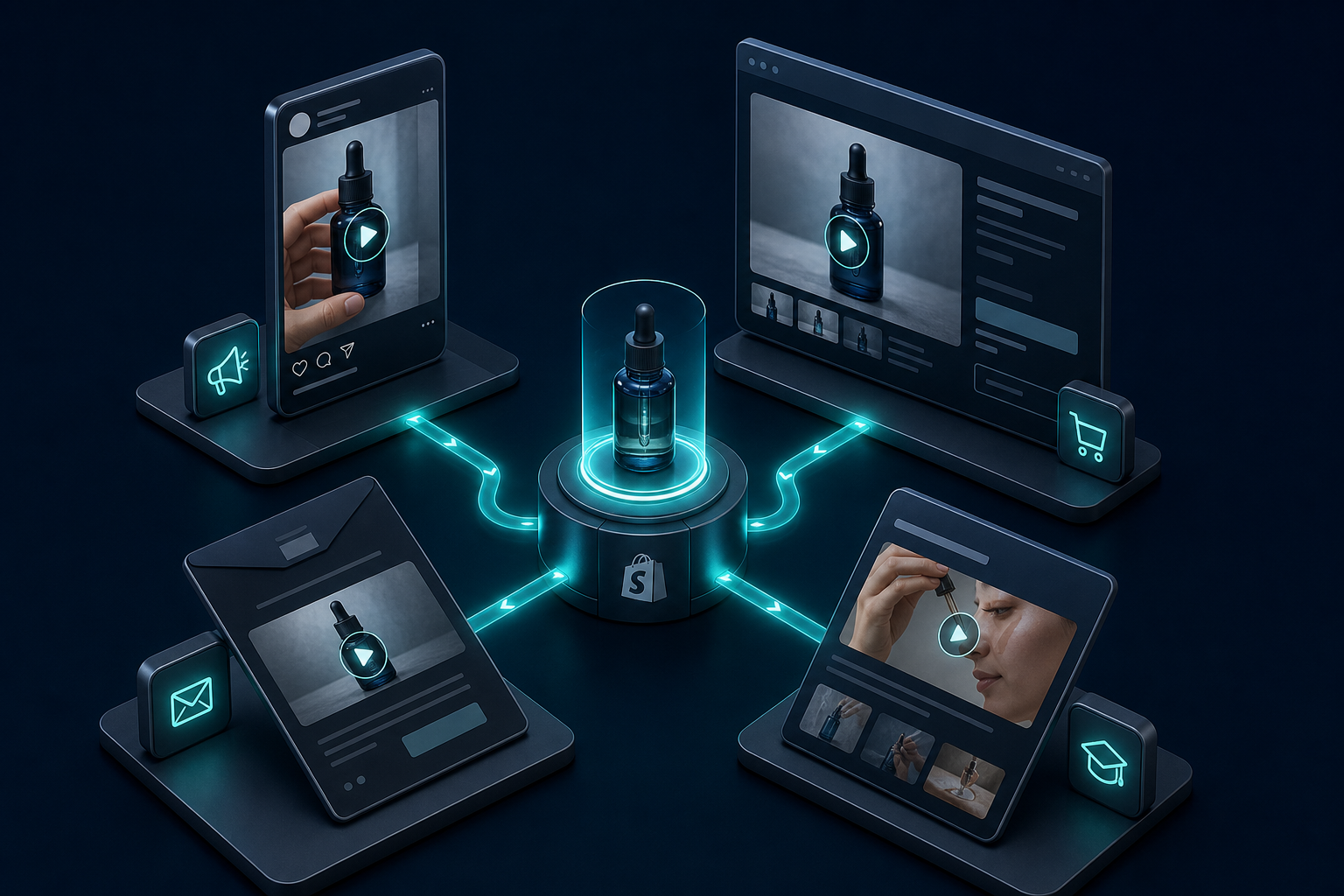
<p>I do not treat AI UGC videos as a single-channel asset. I use them where the format can do useful work without needing a camera crew on the calendar.</p>
<figure>
<img src="https://iili.io/CNfqRZG.png" alt="AI UGC placement map across paid social, product pages, email, and post-purchase">
<figcaption>One good video can support four different placements if the script is built for reuse.</figcaption>
</figure>
<ul>
<li><strong>Paid social:</strong> test hooks, angles, and offer framing in short-form ad variants.</li>
<li><strong>Product pages:</strong> explain what the product is, who it is for, and why it matters.</li>
<li><strong>Email:</strong> give a launch or seasonal campaign something richer than a static thumbnail.</li>
<li><strong>Post-purchase:</strong> reduce confusion and support education after the order is placed.</li>
</ul>
<p>When I want the video workflow itself to stay reviewable, I borrow the same discipline from <a href="https://how-to-blog.gitlab.io/2026/07/19/how-to-build-a-reviewable-json-to-video-pipeline-with-videoflow/">How to Build a Reviewable JSON-to-Video Pipeline With VideoFlow</a>. The principle is the same: define the inputs, generate variants, inspect the output, then release only the ones worth shipping.</p>
<h2>When I still pay for a human creator</h2>
<p>I do not use AI UGC to replace every creator relationship. I still pay for a human shoot when the campaign depends on real-world testimony, a recognizable personality, or a trust signal that only a person can carry.</p>
<ul>
<li>If the product is high consideration and the audience wants proof from a real person, I lean creator-led.</li>
<li>If the point of the ad is community credibility, I want an actual community member.</li>
<li>If the concept is already validated and needs a polished hero asset, I will often budget for a better shoot.</li>
</ul>
<p>That said, I like starting with AI UGC because it reduces the cost of being wrong. I can test the hook, scene, and offer before I invest in the expensive version of the idea. If a concept earns its way into the next stage, that is when a creator shoot becomes easier to justify.</p>
<p>If you want the same product-specific angle from another direction, I would pair this post with <a href="https://productivity-tech-business.blogspot.com/2026/07/how-to-turn-one-shopify-product-brief.html">How to Turn One Shopify Product Brief Into Better UGC Videos</a>. It is the tighter version of the same logic: start from the brief, produce reviewable variations, and move only the winners forward.</p>
<h2>My bottom line</h2>
<p>AI UGC videos win when I need fast, controlled, reusable creative for Shopify. Influencer or creator shoots win when the message depends on a real person’s credibility or audience. Most of the time, the best answer is not one or the other; it is using AI UGC to validate the concept first and reserving the human shoot for the version that is worth scaling.</p>
<p>If you want to try that workflow, start with the free plan on <a href="https://supra-ugc-maker.sktch.io/">Supra UGC Maker</a> or install it from the <a href="https://apps.shopify.com/supra-ugc-maker">Shopify App Store</a>. Pick one product, one hook, and one scene, then see how far one reviewable pass can take you.</p>